
Connect the application to Day & Ross’s API/web service
The Connection Settings page is used to establish the app’s connection to the carrier’s web services.
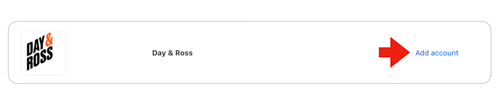
Locate the Day & Ross integration in the list of the app’s All Providers. Click on the Add account link. (If you already added Day & Ross to your list of enabled providers, locate it in your Installed Providers list and click the Connection Settings link.)
Enter the information prompted for on the Connect Provider page. Afterward, click the Save Settings button and then the Test Connection button. You’ll see a success message if the app was able to establish a connection with the carrier’s servers. If the test failed, something about your connection settings information is incorrect. Make the necessary corrections and try again. After you establish a successful connection, return to the User’s Guide for the app.
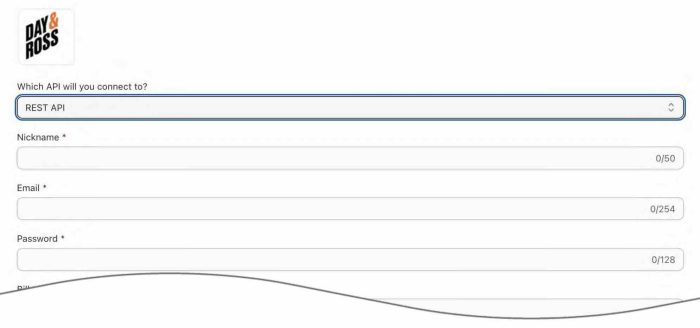
| Which API Will You Connect To? | Select “REST API” from the dropdown. As of March 9, 2026, it is the only API that Day & Ross continues to support. |
| Nickname | Enter a nickname to use for the app. It is for your use only and will not be visible to visitors to your store. |
| Enter the email address you use for the username when logging into the Day & Ross website. | |
| Password | Enter the password you use when logging into the Day & Ross website. |
| Bill To Account Number | Enter your Day & Ross Freight account number. |
| Account number for shipments to USA | Enter your Day & Ross Freight account number for shipments to the U.S. |
| Shipment Origin for Test Connection | Street Address Enter the street address of a location Day & Ross has identified as a shipment origin in its pricing tariff for your company. |
| City Enter the city for the street address entered as the location Day & Ross has identified as a shipment origin in its pricing tariff for your company. |
|
| Province/State Enter the province or state for the street address entered as the location Day & Ross has identified as a shipment origin in its pricing tariff for your company. |
|
| Postal Code Enter postal code for the street address entered as the location Day & Ross has identified as a shipment origin in its pricing tariff for your company. |
|
| Country Enter the two character abbreviation for the country (CA for Canada, US for United States) for the street address entered as the location Day & Ross has identified as a shipment origin in its pricing tariff for your company. |
After populating the Connection Settings, click the Test Connection button. If an alert is returned informing you that the connection was successful, continue to the next step. If the alert returns an error, then you will need to resolve the error before continuing. If the alert contains the message, “Unable to rate shipment, please contact customer service at 866-329-7677“, then Day & Ross doesn’t have pricing loaded for the address you entered. Contact Day & Ross to request pricing for this location, or change the address to one for which Day & Ross already has pricing.