
Follow these instructions to populate the connection settings for SEKO Logistics if you wish to enable it as a provider in the Real-time Shipping Quotes app for Shopify. The account number is provided by SEKO Logistics. Contact your SEKO Logistics account representative if you need help in locating it.
After you enter and save your credentials, click on the Test Connection button. If the test is unsuccessful, confirm and correct your credentials and test again.
Once you’ve had a successful test connection, complete the remainder of the instructions in the Real-time Shipping Quotes User’s Guide.
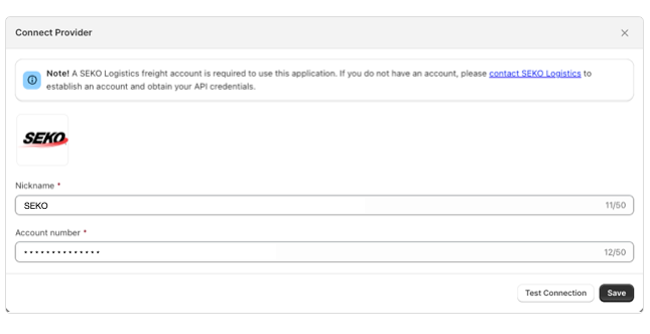
| Nickname | Enter nickname for the integration. This will not be seen by your customers. It is for you internal use only. |
| Account number | Enter the account number provided by SEKO Logistics. |