
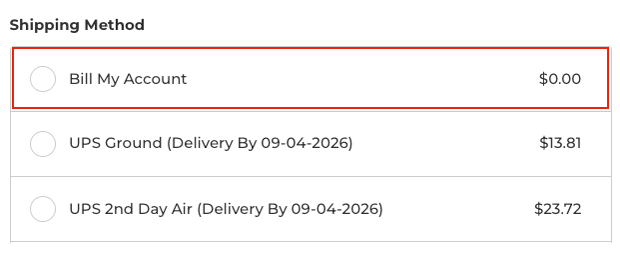
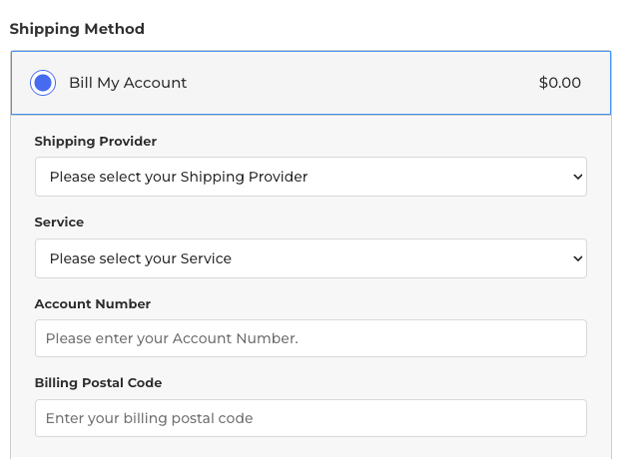
Selecting it reveals bill to shipping account intake form.
After following the instructions on how to add Shipping Account Capture as an integration, use the BigCommerce navigation menu to navigate to Apps > Real-time Shipping Quotes by Eniture Technology > Shipping Providers. Locate the Shipping Account Capture integration using the nickname you provided earlier. Click on the Bill To Options link.

The next set of instructions are specific to the bill to account intake form. It allows merchants to identify how each field of the intake form will be labeled, and the placeholder text that will be used for each field.
| Shipping Method Name | Identify the text used to for the “bill shipping to my account” option in the list of shipping methods. In the previous image, it was identified as “Bill My Account”. |
| Shipping Provider (Dropdown Options) | Shipping Provider Dropdown Label Default: Shipping Provider Enter the label for the field that will present the list of available shipping providers. (E.g. FedEx, UPS, etc.) Shipping Provider Field Placeholder Text
Default: Please select your Shipping Provider |
| Service (Dropdown Options) | Service Dropdown Label Default: Service Enter the label to use for the field that will present the list of available service options for the selected provider. Service Field Placeholder Text
Default: Please select your Service |
| Account Number (Text Field) | Account Number Field Label Default: Account Number Enter the label to use for the field that will collect the account number from the person performing the checkout. Account Number Field Placeholder Text
Default: Please enter your Account number |
Below the intake form settings will appear the section used to identify which carriers and carrier services will appear in the intake form during the checkout process. Click the + Add a bill-to option link to add a carrier. Repeat this step for each carrier you want to accept as bill-to option for shipping.

The image below shows a typical use of the shipping provider form for UPS. Follow the instructions below the image for information on each field appearing in the form.
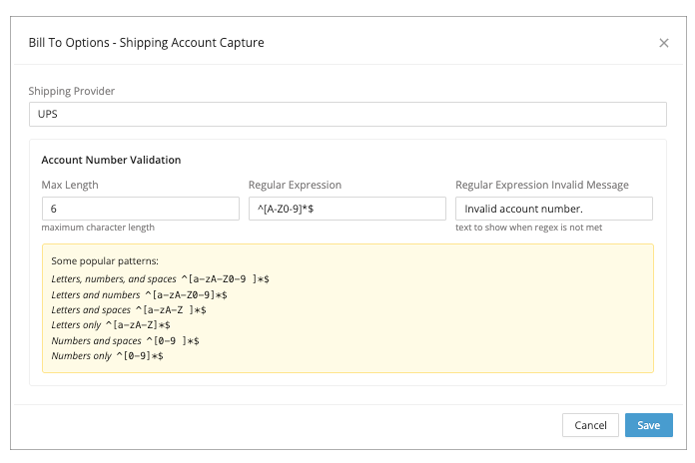
| Shipping Provider | Enter the name of the shipping provider as you want it to appear in the Shipping Provider dropdown list of the intake form. |
| Account Number Validation | Note: The Shipping Account Capture integration does not warranty, validate, verify, or otherwise certify that the bill-to account number entered by a visitor is correct.
Max Length
Enter the maximum number of characters permitted for the provided account number. Regular Expression
Definition: In this case, a regular expression (or regex) is a special sequence of characters that forms a pattern that can be used to validate that the entered string (account number) matches an expected format. Regular Expression Invalid Message
This message will show in red text below the account number field on the intake form if a visitor completing the checkout page uses the bill-to shipping account feature, and enters a non-conforming value for the account number. |
After adding a shipping provider, click its +Add a service link to identify the services that you’ll accept for the bill-shipping-to arrangement.
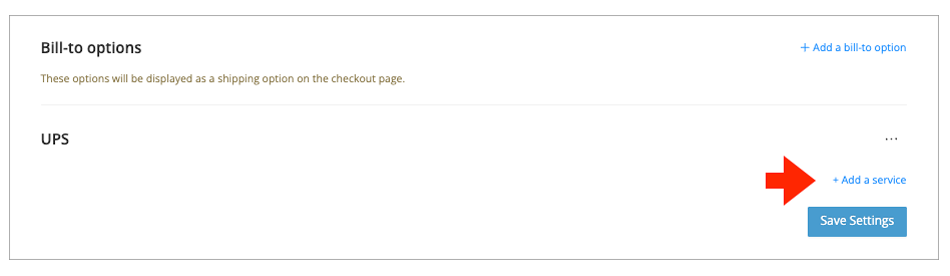
Enter the names of the services as you want them to appear in the Service dropdown field of the intake form.
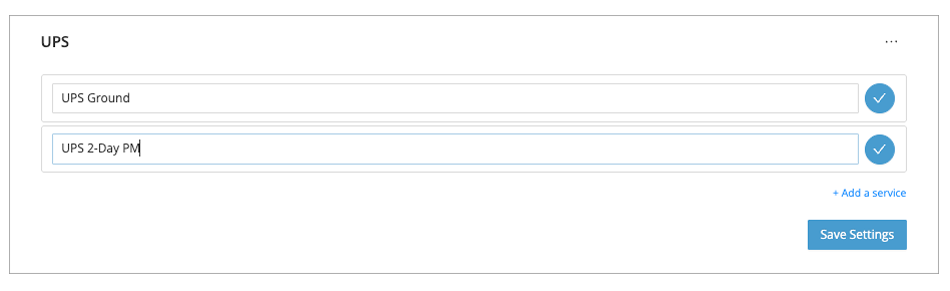
Repeat this step for each shipping provider added.
Use the BigCommerce navigation menu to navigate to Apps > Real-time Shipping Quotes by Eniture Technology > Shipping Providers. Locate the Shipping Account Capture integration using the nickname you provided earlier. Click on the Other Settings link.

Enable the Suppress rate quotes from other enabled carriers if the visitor chooses to bill-to their account setting if you want the visitor to only see the options you’ve defined for bill-shipping-to their account.

If you want the shipping rates from your account relationships to still be presented to the visitor, leave this setting unchecked.