
Connect the application to A. Duie Pyle Freight’s API/web service
The Connection Settings page is used to establish the app’s connection to the carrier’s web services.
You must have an A. Duie Pyle Freight account to use this application. If you don’t have one, contact A. Duie Pyle Freight at
LTLSales@aduiepyle.com or call 800-523-5020 ext. 33399.
To connect the app with your A. Duie Pyle freight account, you’ll need your PYLE ID and a nickname for the connection.
If you don’t already have API credentials, email ITSD@aduiepyle.com with your A. Duie Pyle account number and request API credentials for access to your account.
Once you’ve received your PYLE ID and nickname from A. Duie Pyle, enter them on the Eniture App Provider page. Click Save Settings, then select Test Connection to verify the setup. If the connection is successful, a confirmation message will appear.
If it fails, review your entries for accuracy, make any needed corrections, and test again.
After you establish a successful connection, return to the User’s Guide for the app.
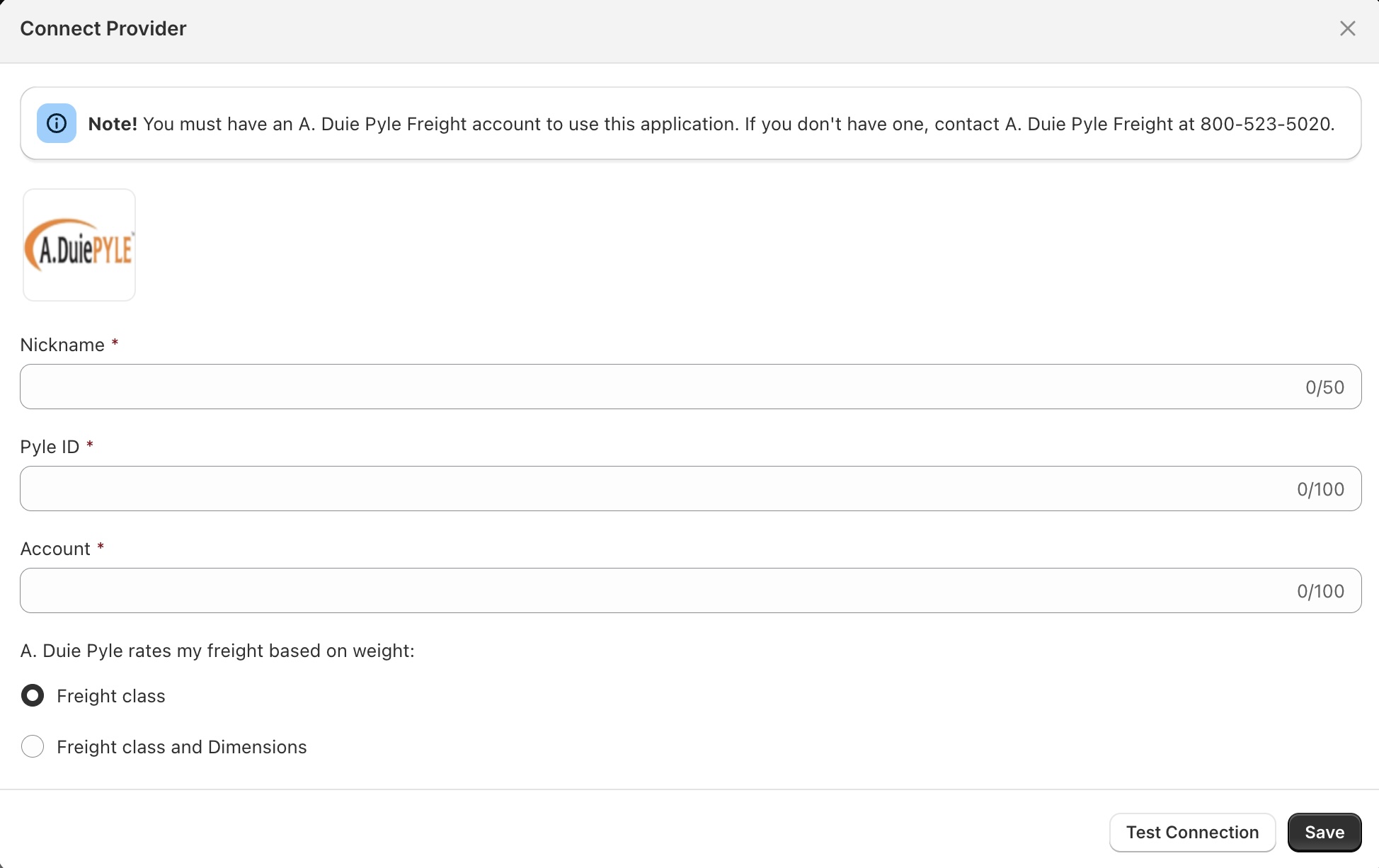
| Nickname | Enter a nickname to use for the app. It is for your use only and will not be visible to visitors to your store. |
| PYLE ID | Enter the PYLE ID provided by A.DuiePYLE Freight. |
| Account | Enter the same A.DuiePYLE Account provided when requesting the PYLE ID. |
| A.DuiePYLE rates my freight on weight, | and freight class. Choose this option if A.DuiePYLE uses the traditional rating method for your shipments. This is the correct option for most A.DuiePYLE customers. freight class, and dimensions.
Choose this option if A.DuiePYLE rates your shipments based on each handling unit’s overall dimensions. In this case, accurate quotes will require the use of the Pallets feature. (Related document: What is Dimensionally Rated LTL Freight?) |